

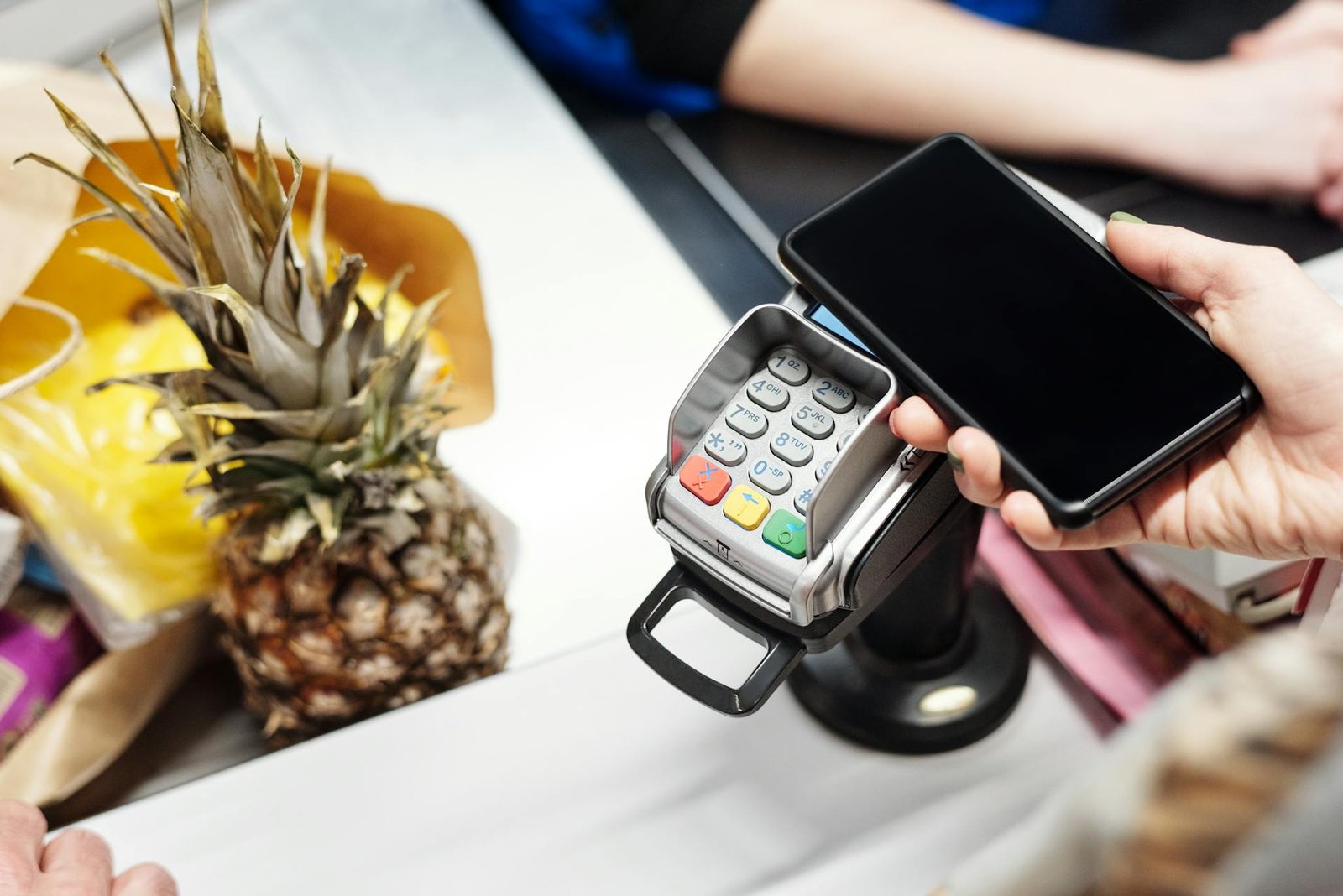
Digital wallets have become one of the most common ways to pay for things, both online and in stores. Instead of carrying cash or cards, you can keep your payment details inside a phone app or even a smartwatch. They save time, add extra safety, and make it easier to track where your money goes. If you are still using only cards and cash, it may be time to think about adding a digital wallet to your life.
In this review, we will look at the most popular digital wallets, explain how they work, and help you decide which one is right for you.
Apple Pay
Apple Pay is the wallet built into every iPhone, iPad, and Apple Watch. It has become one of the most trusted options worldwide because it is simple to use and very secure. Setting it up is quick. You open the Wallet app, add your card, and confirm it with your bank. After that, you can use it anywhere that accepts contactless payments.
One of the best parts of Apple Pay is how it connects across devices. You can use your iPhone at a store, your Apple Watch on public transport, and your iPad for online shopping. Security is also strong. Each payment is confirmed with Face ID, Touch ID, or your passcode, making it almost impossible for others to misuse your phone if it is lost.
Apple Pay also works well for in-app and online shopping. When buying something from a website, you do not need to enter card details. You simply tap Apple Pay, confirm with Face ID, and the payment is done. This saves time and lowers the chance of fraud. The main limit is that it only works on Apple devices, so Android users cannot access it.
<strong>Apple Pay</strong>
Fast and secure payments that work seamlessly across all Apple devices make it ideal for everyday use and online shopping.
Google Wallet
For Android users, Google Wallet is the most common choice. It works in a very similar way to Apple Pay. You add your cards, tickets, or even ID, and then you can pay or check in with your phone or smartwatch. It supports contactless payments in stores, making checkout fast and easy.
Google Wallet is also widely accepted across websites and apps. When shopping online, you can use it to skip typing in card numbers. For people who travel, it can also hold boarding passes, metro cards, and event tickets. In some countries, it even supports digital IDs and vaccination records.
Like Apple Pay, security is very strong. Google Wallet uses screen locks such as fingerprints, face scans, or passcodes, and payments use hidden codes instead of your card number. If you lose your phone, you can erase your wallet remotely. The main drawback is that support varies by country, so not all features are available everywhere.
<strong>Google Wallet</strong>
Offers wide acceptance and flexibility with online purchases and ticket storage, though some advanced features depend on your country.
Samsung Wallet
Samsung Wallet is designed for people who use Samsung phones. While similar to Google Wallet, it adds unique extras. Along with payments, it can store loyalty cards, digital keys for smart homes or cars, and even track some crypto accounts in certain regions.
The wallet is safe, using fingerprint or face ID to approve payments. Samsung Pay used to be special because it worked even on machines that only read magnetic strips, but that feature has been reduced as more stores now support contactless payments.
Samsung Wallet is very useful if you are deep into the Samsung ecosystem. However, it only works on Samsung devices, so if you ever switch to another Android brand, you cannot take it with you.
<strong>Samsung Wallet</strong>
Secure and useful for Samsung users with extra tools like loyalty cards and digital keys, but limited outside Samsung devices.
PayPal
PayPal is one of the oldest names in digital payments. It started as a way to send and receive money online, and now it works as a full wallet. You can link your bank accounts, debit cards, or credit cards, and pay almost anywhere on the web. Many online stores accept PayPal directly at checkout.
A big advantage of PayPal is how widely it is accepted across different countries. You can use it to send money to friends or family almost anywhere. It also gives strong buyer protection, meaning if something goes wrong with an online purchase, PayPal often helps recover your money.
However, PayPal can be costly for certain transactions. International transfers, currency exchanges, or business payments often come with fees. For simple payments, though, it remains one of the most reliable wallets.
<strong>PayPal</strong>
Reliable for online and international payments with strong buyer protection, making it perfect for shopping across multiple platforms.
Venmo
Venmo, owned by PayPal, is very popular in the United States for splitting bills and paying friends. It is designed with a social feel, letting users share payment notes and emojis in a feed. Many young people use it for rent, dining out, or sharing ride costs.
Venmo can also work as a wallet by storing money or linking cards. Some online shops now accept Venmo directly. While not as common in physical stores as Apple Pay or Google Wallet, it is slowly expanding its reach.
The social sharing part is optional, but many users enjoy adding a playful side to their payments. For those who prefer privacy, there are settings to hide transactions from others.
<strong>Venmo</strong>
Fast and social way to pay friends and split bills, ideal for casual transactions but limited in physical stores.
Cash App
Cash App is another digital wallet mostly used in the United States. It is known for quick money transfers between friends, similar to Venmo. What sets it apart is that it offers a Cash Card, a debit card linked to your Cash App balance, which can be used anywhere Visa is accepted.
Cash App also offers extras like stock and Bitcoin trading. However, many users stick to it just for the simple wallet and transfer features. It is less accepted in online stores compared to PayPal or Apple Pay, but it is handy for personal use.
<strong>Cash App</strong>
Simple and fast wallet for peer-to-peer transfers with a card that works anywhere Visa is accepted, plus optional investing features.
Revolut
Revolut has grown into a full financial app that goes beyond simple wallets. It lets you hold multiple currencies, making it very useful for travelers. Spending abroad is cheaper because Revolut offers low exchange fees. You can also send money internationally at better rates than banks.
Beyond payments, Revolut includes savings tools, budgeting features, and even access to crypto and stock trading in some regions. It is a mix of wallet and bank account in one app. For travelers or people who manage money in different countries, Revolut can be very powerful.
The main drawback is that it can feel overwhelming for people who just want a basic wallet. Also, not all features are available in every country.
<strong>Revolut</strong>
Excellent for travelers with multi-currency support, budgeting tools, and crypto features, though it can overwhelm users seeking a basic wallet.
Safety and Security
The main reason digital wallets are safe is because they hide your card details. Instead of sending your card number, they use a code that changes with each payment. On top of that, wallets use passwords, fingerprints, or face scans before allowing any payment.
If you lose your phone, you can lock or erase it remotely. This makes digital wallets even safer than carrying cards, which anyone can use if stolen.
How to Choose the Best Digital Wallet
When picking a wallet, think about your phone first. If you have an iPhone, Apple Pay will be the easiest option. For Android, Google Wallet is the best choice, while Samsung users may prefer Samsung Wallet.
If you need to send money to friends often, Venmo or Cash App may fit better. For online shopping, PayPal remains one of the easiest. And if you travel or need multi-currency features, Revolut is a strong pick.
Conclusion
Digital wallets are changing how we pay. They make payments quick and safe while keeping them easy to use. You can buy coffee, book tickets or split a dinner bill. With many options available you can choose the wallet that fits your phone and lifestyle.